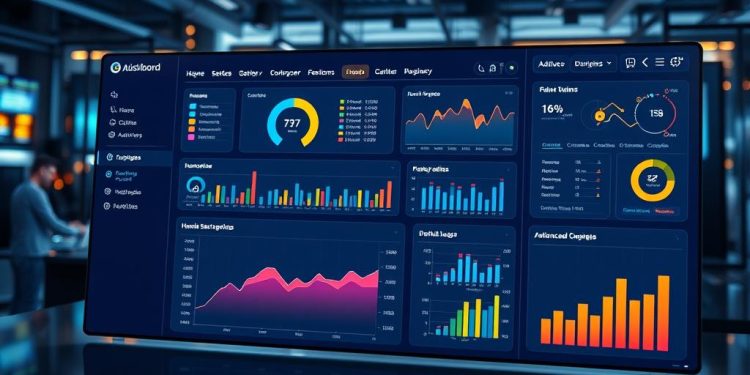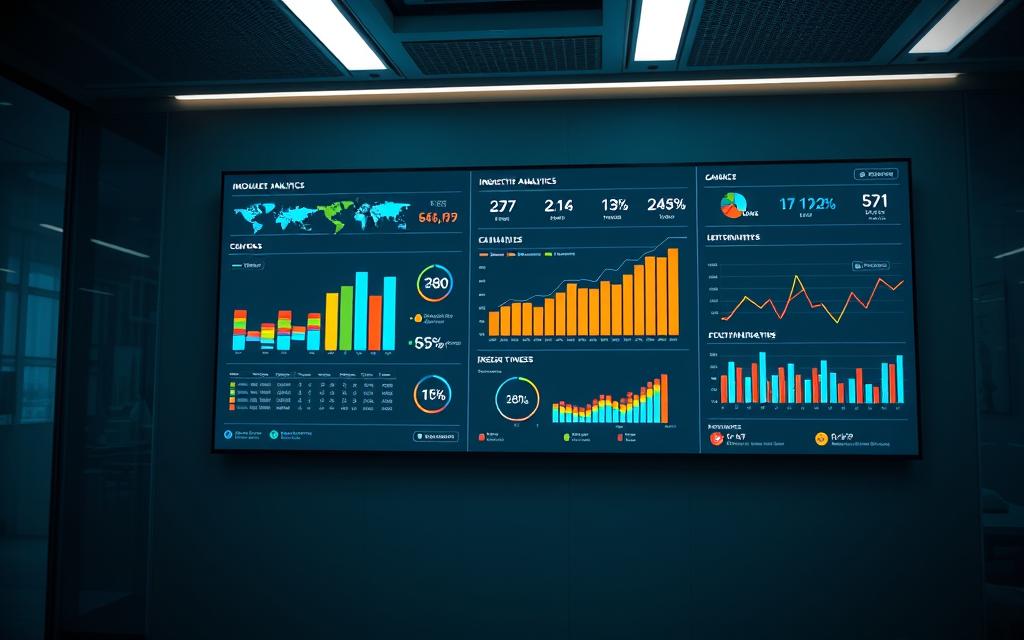
In today’s rapidly changing business landscape, interactive dashboards have become essential tools for organizations seeking to enhance their decision-making processes. Leveraging real-time data visualization, these custom dashboards transform raw data into actionable insights, enabling businesses to respond swiftly and effectively to market demands. Statistics reveal that 75% of organizations consider data visualization vital for effective decision-making, highlighting the crucial role that business analytics play in strategic planning.
By replacing traditional static dashboards, interactive dashboards bring advanced technologies like AI and data analytics into the mix, creating user-friendly environments where key performance indicators (KPIs) and industry-specific metrics can be easily monitored and adjusted. In fact, companies implementing these innovative tools see a remarkable 30% increase in decision-making efficiency. As you explore the myriad benefits and applications of interactive dashboards, you’ll find that they’re not just beneficial—they are essential for staying competitive in your industry.
What are Interactive Dashboards?
Interactive dashboards are dynamic, user-friendly interfaces designed to present complex data in easily digestible formats. These tools enhance data visualization, allowing users to explore their data and derive insights more effectively than through traditional methods. By enabling real-time analytics and customization, interactive dashboards empower users to engage actively with their data.
Definition and Key Features
Interactive dashboards offer numerous key features that set them apart from static dashboards. Key aspects include:
- Drill-Down Capabilities: Users can click on specific metrics to access more detailed views, enabling deeper insights.
- Real-Time Collaboration: Teams can work together on data analysis, fostering cooperation and quicker decision-making.
- AI-Assisted Analytics: Organizations can leverage AI-powered tools to enhance efficiency and improve data-driven strategies.
- Customization Options: Users can tailor visualizations to meet diverse needs across departments, ensuring clarity and engagement.
Static vs. Interactive Dashboards
While static dashboards provide unchanging snapshots of data, interactive dashboards introduce a layer of engagement that boosts user interaction. Interactive dashboards allow for:
- Real-time monitoring of key performance indicators (KPIs), facilitating hands-on analysis and timely adjustments.
- Increased user engagement, as they adapt to individual preferences and current projects.
- Quick access to critical reports, enhancing feedback cycles and expediting decision-making processes.
Benefits of Using Interactive Dashboards
Implementing interactive dashboards offers numerous advantages for organizations aiming to enhance their decision-making processes. These tools facilitate data-driven decisions by providing intuitive interfaces for analyzing complex data sets. They encourage higher user engagement by allowing individuals to explore and interact with the data tailored to their needs. Real-time monitoring features ensure that important metrics are always available, enabling swift action and informed strategies.
Data-Driven Decision Making
Interactive dashboards empower users to make data-driven decisions effectively. Users can manipulate data to uncover insights, reducing the time needed to analyze reports. This adaptability contributes to an estimated 15-20% increase in decision-making speed as users access actionable information quickly. Companies also experience a 25% improvement in overall data-driven decision-making, streamlining operations and enhancing responsiveness.
Increased User Engagement
Enhancing user engagement is straightforward with interactive dashboards. By tailoring interfaces to meet the specific needs of each audience, organizations can see engagement rates soar by over 30%. The use of color-coded indicators simplifies data comprehension for non-financial stakeholders, making the information accessible and actionable. Self-service business intelligence trends reveal that up to 85% of business users prefer easy-to-use tools that do not require extensive technical skills for analysis.
Real-Time Data Monitoring
Real-time monitoring strengthens organizations’ capabilities in tracking performance effectively. Users can manage thousands of data points simultaneously, facilitating prompt detection of data quality issues in extensive operations like eTMF. Timely insights provided by dashboards lead to a 40% increase in trust among users, ensuring quick and informed decisions. This setup reduces the overall time spent on report generation, with many organizations reporting 30-50% decreases in time dedicated to creating reports through multiple spreadsheets.
| Benefit | Impact |
|---|---|
| Data-Driven Decision Making | 15-20% increase in decision-making speed |
| User Engagement | 30% increase in engagement rates |
| Real-Time Monitoring | 30-50% reduction in report generation time |
| Overall Improvement in Decision-Making | 25% improvement in data-driven decisions |
Industry-Specific Dashboards
Interactive dashboards serve as crucial tools for numerous sectors by addressing their unique needs through practical industry solutions. Tailoring these dashboards allows organizations to monitor specific KPIs that align seamlessly with their operational objectives, resulting in significant benefits across various domains.
Custom Dashboards for Different Sectors
Custom dashboards can be designed for different industries, fostering higher efficiency and insights. For example:
- The Marketing Management dashboard tracks conversion rates, indicating that companies with effective lead management can generate 50% more sales-ready leads at a 33% lower cost.
- Education institutions utilize the Enrollment Trends dashboard to analyze student demographics, uncovering trends that could influence policy decisions.
- Insurance companies benefit from the Insurance Claims dashboard, where understanding claims by demographics may reduce overall claim costs by up to 30%.
- Telecommunications firms assess customer retention through a dedicated dashboard, revealing that a diversified product offering improves customer loyalty by 15%.
Case Studies: Successful Implementation
Real-world examples highlight the successful implementation of custom dashboards in various sectors:
| Sector | Case Study | Outcome |
|---|---|---|
| Healthcare | COVID-19 Tracking Dashboard | Enhanced monitoring of hospital resources during the pandemic. |
| Finance | CRM Lead Touch Tracker | A 10% increase in conversions through timely follow-ups. |
| Manufacturing | Production Efficiency Dashboard | Reduction of defects by up to 20% and shortened production times by 15%. |
| Food & Beverage | Brand Management Dashboard | Improved operational visibility across multiple locations. |
These case studies illustrate the advantages of incorporating custom dashboards, showcasing their ability to enhance operational efficiency and inform data-driven culture within organizations. Each implementation represents a step towards greater performance and improved decision-making based on precise, tailored insights.
Key Features of Interactive Dashboards
Interactive dashboards stand out in their ability to adapt and promote collaboration. Their customizability and flexibility are fundamental features that enhance user experience. As you engage with these dashboards, you can tailor metrics, visual styles, and layouts to align with your preferences. This capability is essential, especially as the importance of KPIs can shift over time depending on your business needs.
Customizability and Flexibility
The degree of customizability in interactive dashboards allows you to interact more deeply with your data. You can adjust views and metrics based on your specific goals, making it easier to extract relevant insights. Such flexibility is particularly advantageous in fast-paced environments where the necessity of adapting to market changes is critical. With a variety of interactive tools available, you can prioritize the information that matters most and optimize reporting efficiency. This adaptability can lead to an improvement in goal tracking accuracy by as much as 25% because you are more in tune with your targets.
Real-Time Collaboration Capabilities
Real-time collaboration features are an essential attribute of interactive dashboards. They enable multiple users to access shared data simultaneously, facilitating teamwork and collective analysis. As you and your colleagues interact with the dashboard, you can explore insights together, leaving comments and highlighting critical metrics that require attention. This dynamic fosters engagement across teams, ultimately improving the speed of decision-making processes by about 30%. You gain the confidence to move quickly and strategically by making informed decisions based on real-time data.
Real-World Examples of Interactive Dashboards
Interactive dashboards showcase their versatility across various sectors, significantly impacting healthcare, finance, and marketing. These examples highlight how organizations leverage data visualization to enhance their operations, decision-making, and performance tracking.
Healthcare Use Cases
In the healthcare sector, interactive dashboards revolutionize patient care management. For instance, the Centers for Disease Control (CDC) employs external BI dashboards to monitor the spread of pandemics and infectious diseases. This system integrates data from multiple sources, including the World Health Organization and social media platforms, enabling real-time tracking of disease outbreaks. Such dashboards empower healthcare organizations to implement preventive measures swiftly. During the COVID-19 pandemic, the CDC effectively verified containment efforts through these tools, showcasing the critical role of dashboards in managing public health crises.
Finance and Investment Applications
Financial institutions increasingly adopt interactive dashboards for comprehensive performance monitoring. These finance applications facilitate the analysis of real-time market data, significantly improving productivity by providing timely insights. Organizations can download data for extended analysis, helping evaluate trends over specified periods. Dashboards enable stakeholders to monitor investment performance efficiently, thus enhancing risk management and fostering informed decision-making. The integration of interactive dashboards has become indispensable for achieving competitive advantage in finance.
Marketing and Sales Performance Tracking
In marketing, real-time insights are paramount. Interactive dashboards assist marketing teams in tracking campaign effectiveness through marketing tracking tools that allow for performance comparisons across different strategies. Retail leaders depend on dashboards to maintain visibility over store performance metrics, addressing in-depth sales forecasting and inventory management. By leveraging these insights, businesses can adjust their strategies promptly to maximize return on investment while enhancing customer satisfaction. Dashboards track key performance indicators related to sales, finance, and inventory, ensuring that marketers have the data needed for effective decision-making.
| Sector | Example Usage | Benefits |
|---|---|---|
| Healthcare | CDC dashboards tracking infectious diseases | Real-time monitoring and preventive measures |
| Finance | Market performance analysis | Enhanced productivity and informed decision-making |
| Marketing | Campaign effectiveness visualization | Timely adjustments for maximizing ROI |
How to Create Effective Interactive Dashboards
Creating effective interactive dashboards requires a thoughtful approach, beginning with the selection of the right visualization tool. A well-chosen tool enhances usability and allows for comprehensive data analysis. It is important to define clear dashboard objectives to ensure the design aligns with specific goals. Identifying key performance indicators (KPIs) is essential for determining what data will be displayed effectively.
Choosing the Right Visualization Tool
Selecting an appropriate visualization tool is crucial for ensuring that your dashboard is both effective and engaging. Tools such as Tableau and Power BI offer customizable features that support user interaction. Consider features like:
- Interactive filters that enhance user engagement.
- Customizable options like multi-select check boxes and drop-down lists.
- Highlighting capabilities, allowing one selection to reveal related data across different views.
Defining Objectives for the Dashboard
Your dashboard objectives guide its design and functionalities. Start by pinpointing the key questions your dashboard needs to answer. Clarity in objectives leads to focused development and allows for better user experiences. Include historical data comparisons to provide context, which enhances the value of the metrics displayed.
Identifying Key Performance Indicators (KPIs)
Key performance indicators (KPIs) play a significant role in a successful dashboard. They should reflect your specific business goals and help track performance effectively. Avoid clutter by limiting the number of metrics displayed. Group data logically by product, campaign, or region to streamline discoverability. Ensure all labels are clear and concise for quick understanding. Strive for a high data ink ratio to minimize distractions and maintain user focus.
Conclusion
In summary, interactive dashboards serve as a pivotal resource in enhancing business efficiency across diverse industries. These tools combine visual appeal with functional depth, allowing organizations to fully leverage their data. By adopting industry-specific applications, you can streamline decision-making processes and foster a data-driven culture within your business.
As statistics indicate, businesses utilizing interactive dashboards often experience significant improvements in efficiency and predictive analytics capabilities. The combination of real-time data access and user engagement leads to a competitive edge that is crucial for success in today’s fast-paced market.
Ultimately, adopting interactive dashboards not only saves time in report generation but also boosts the likelihood of meeting key performance indicators. Embracing these powerful tools will enable you to unlock new growth opportunities and maintain a proactive stance in your industry.